Luna
Billing, kitchen and tables for restaurants in India.
One system for the counter, the kitchen and the floor, with GST on every bill. Luna runs billing, KOTs and the kitchen display, tables and QR ordering, inventory, staff and the back office for restaurants, cafés, bars and food trucks. Formerly Ocopus, built by Ocopus Labs.
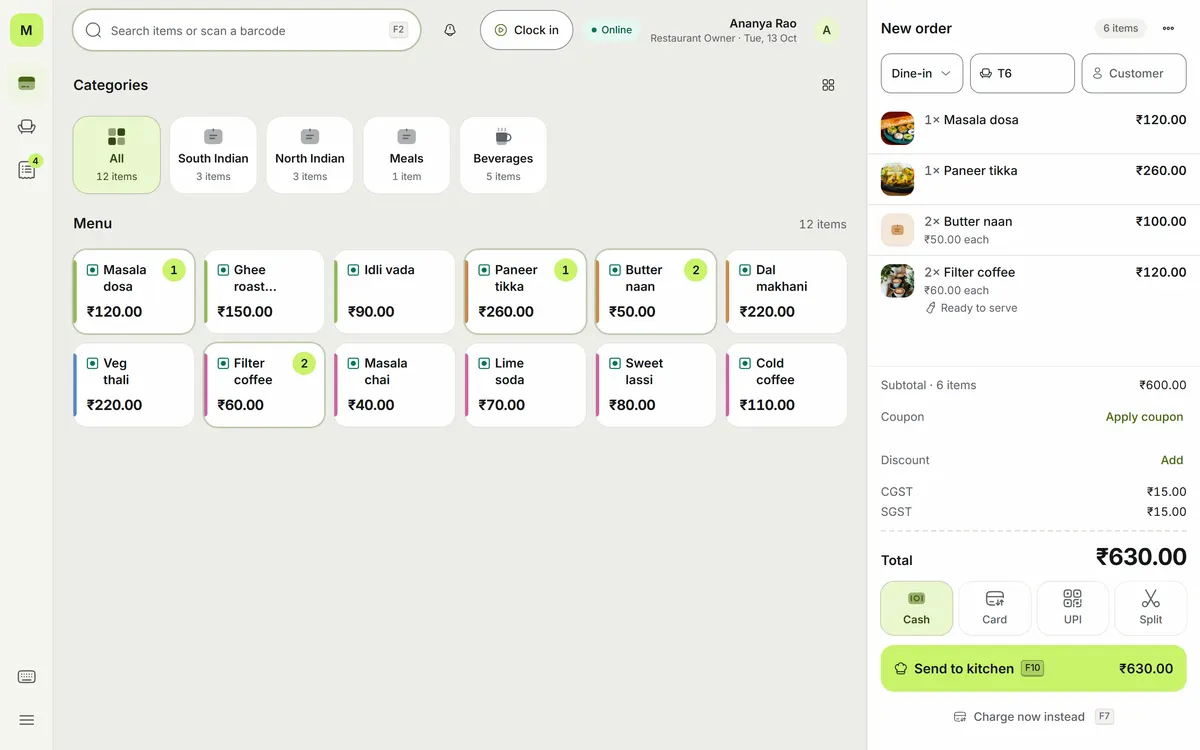
Indian restaurants run on a billing app, a notebook and a WhatsApp group.
A billing machine that doesn't talk to the kitchen, paper KOTs that go missing, stock counted in a register, and GST figures rebuilt by the accountant every month. Luna puts the counter, the kitchen, the floor and the books in one system, so the GST return falls out of the day's invoices instead of a spreadsheet.
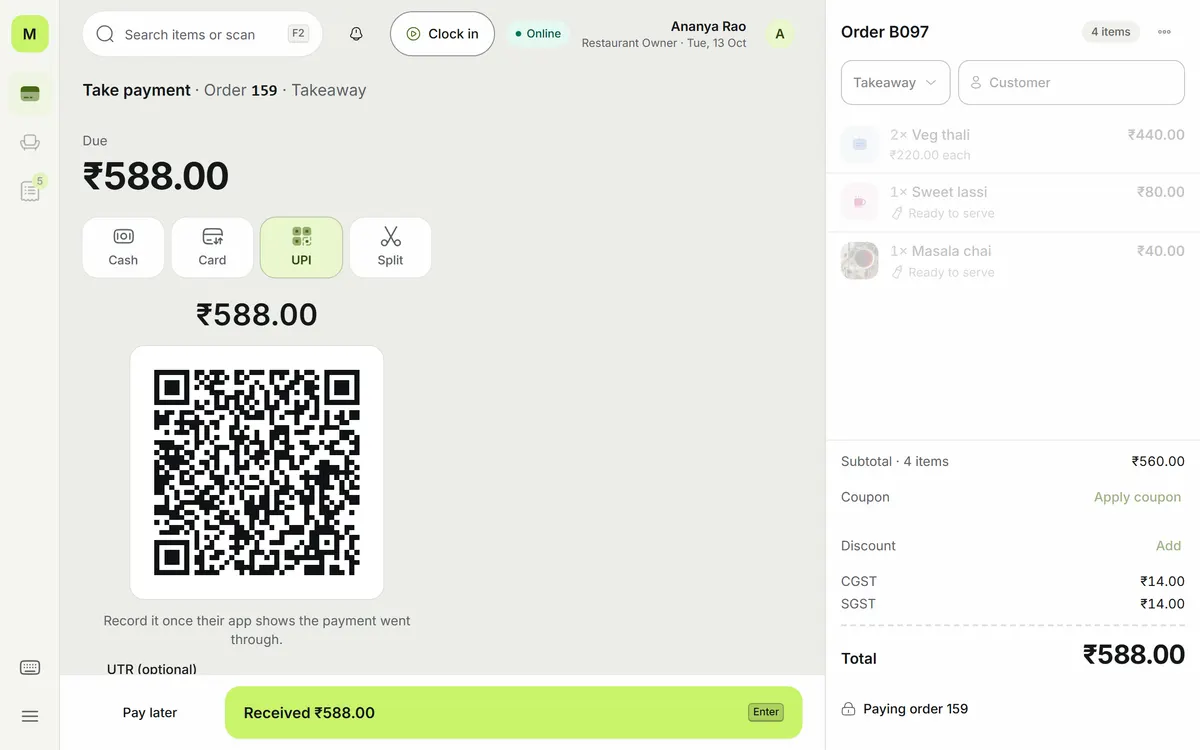
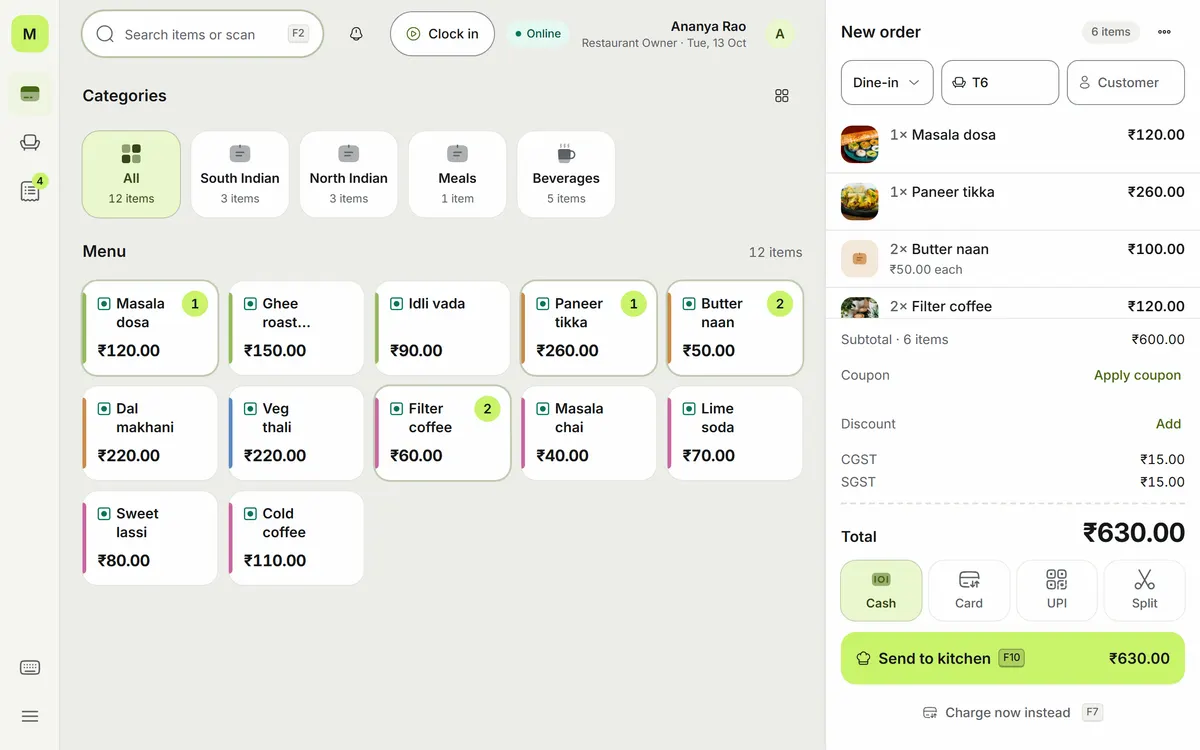
Bill at the counter in a few taps
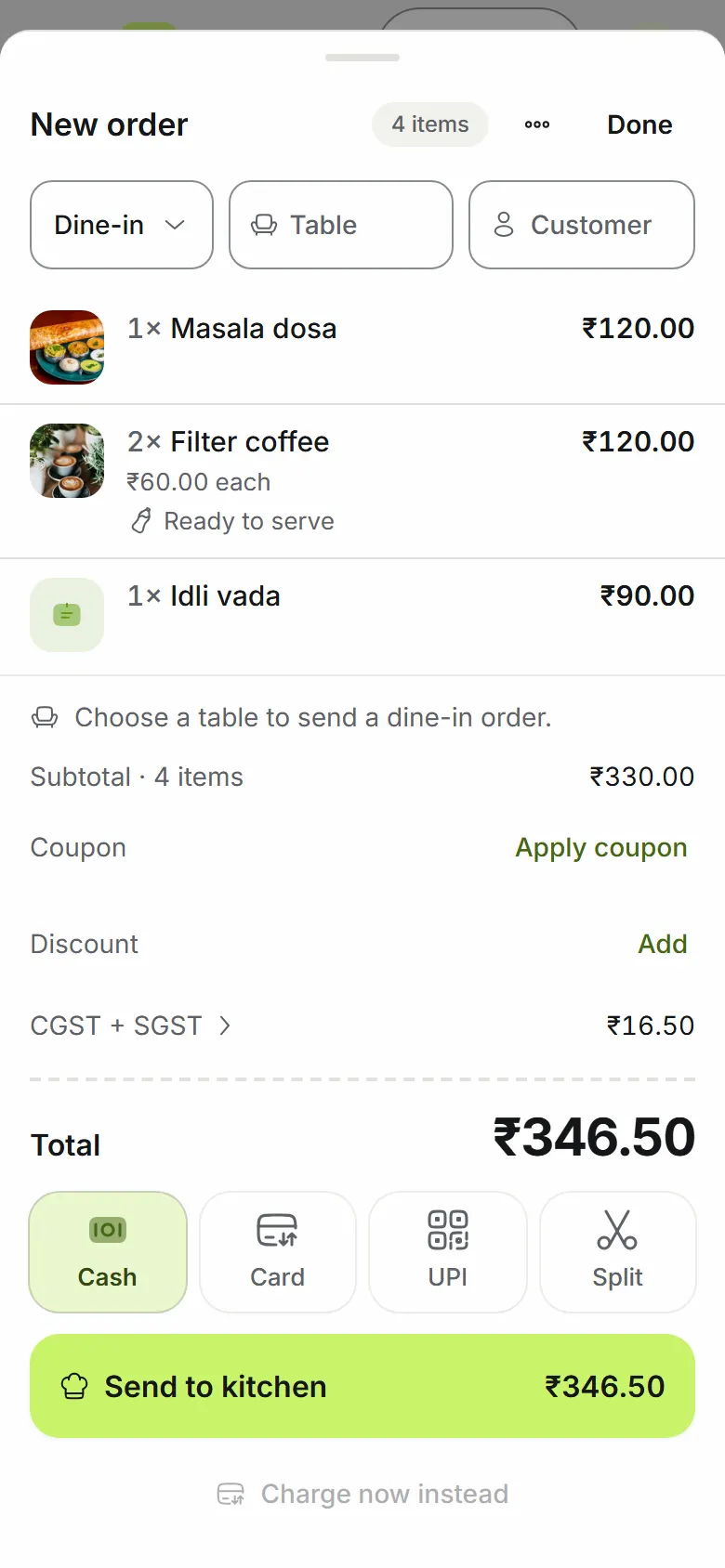
GST worked out on each line at its own rate and split into CGST and SGST. Cash, card, UPI or split on one bill, with your UPI QR and the amount on the payment screen. Discounts above the limit need a manager's approval.
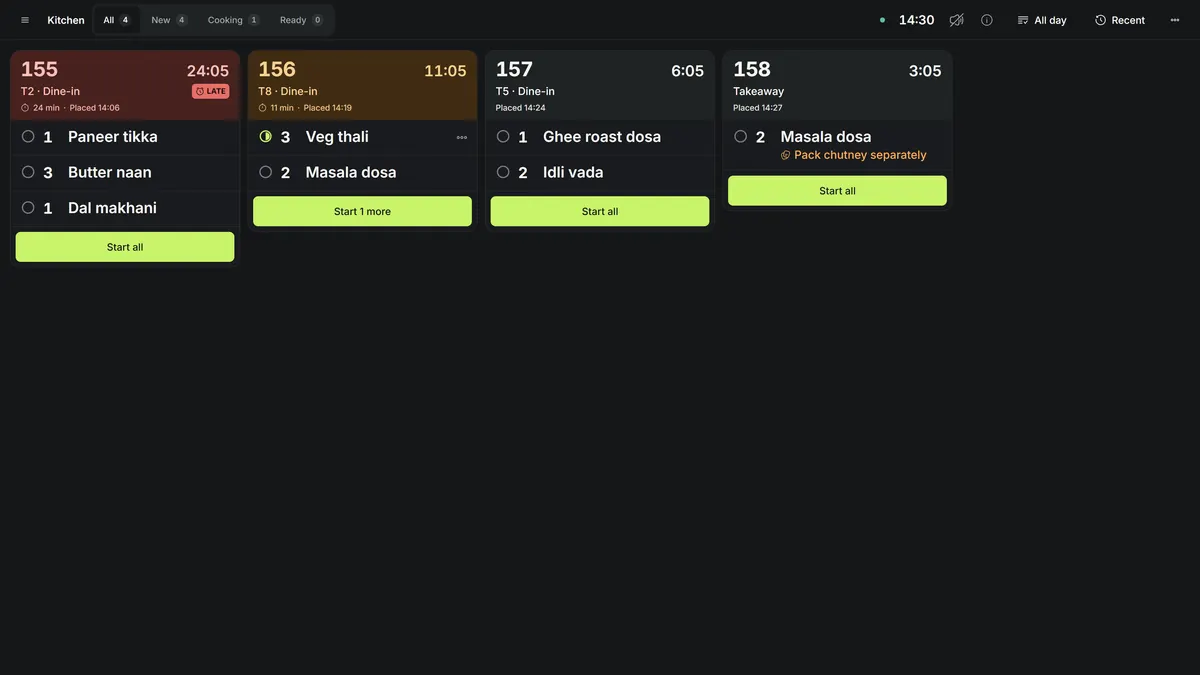
Orders reach the kitchen as they're placed
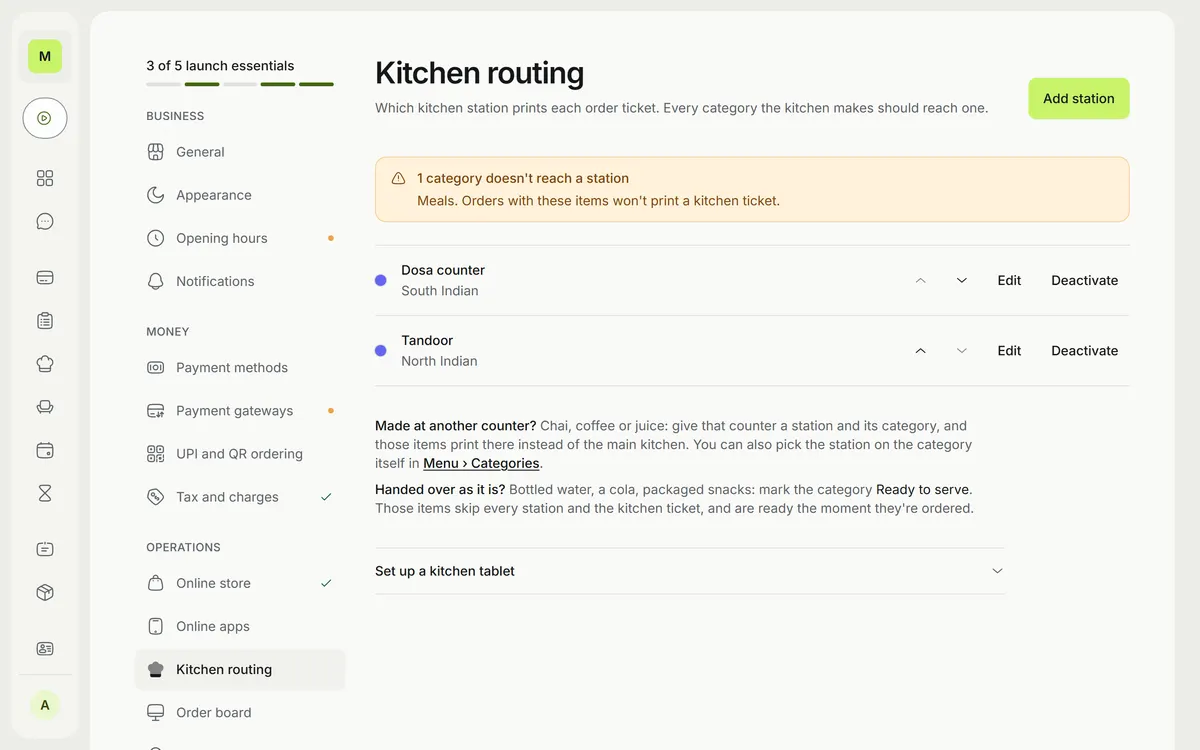
KOTs print from the browser on 80 mm rolls, routed by category to each station. The kitchen display shows tickets by station, flags late tickets after 15 minutes, and lets cooks mark lines preparing and ready.
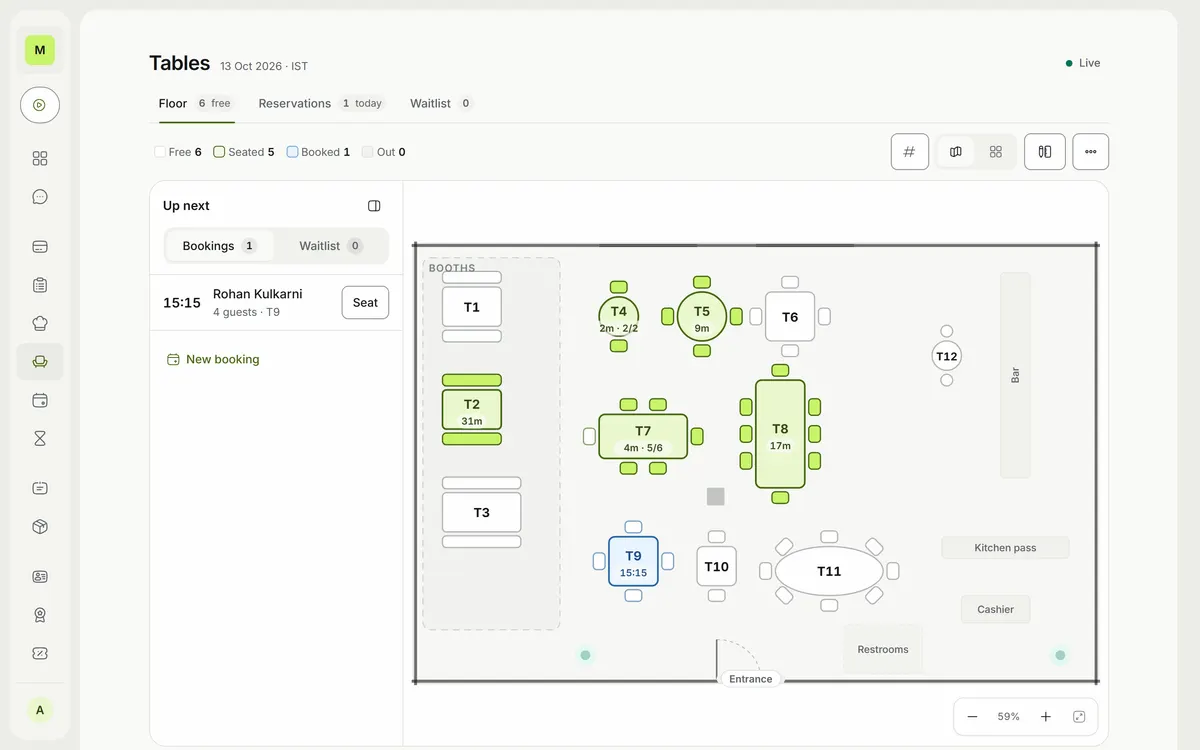
See the floor, and let tables order
A seat-accurate floor plan with rooms and tables coloured by status. Merge and move tables, run reservations on a timeline, and keep a waitlist with quoted waits and a tracker link for guests.
The owner's day at a glance
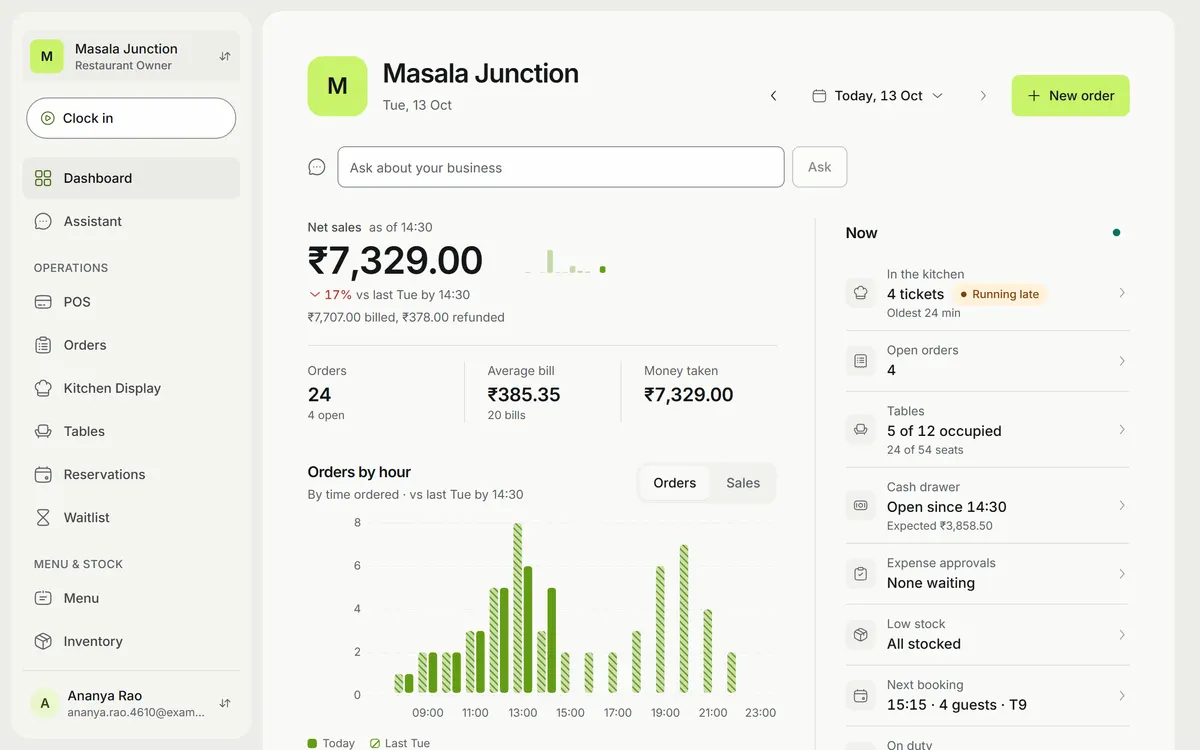
Net sales against the same day last week, orders by hour, and a live 'Now' panel: tickets in the kitchen, open orders, occupied tables, the cash drawer, low stock and the next booking.
An assistant that asks before it acts
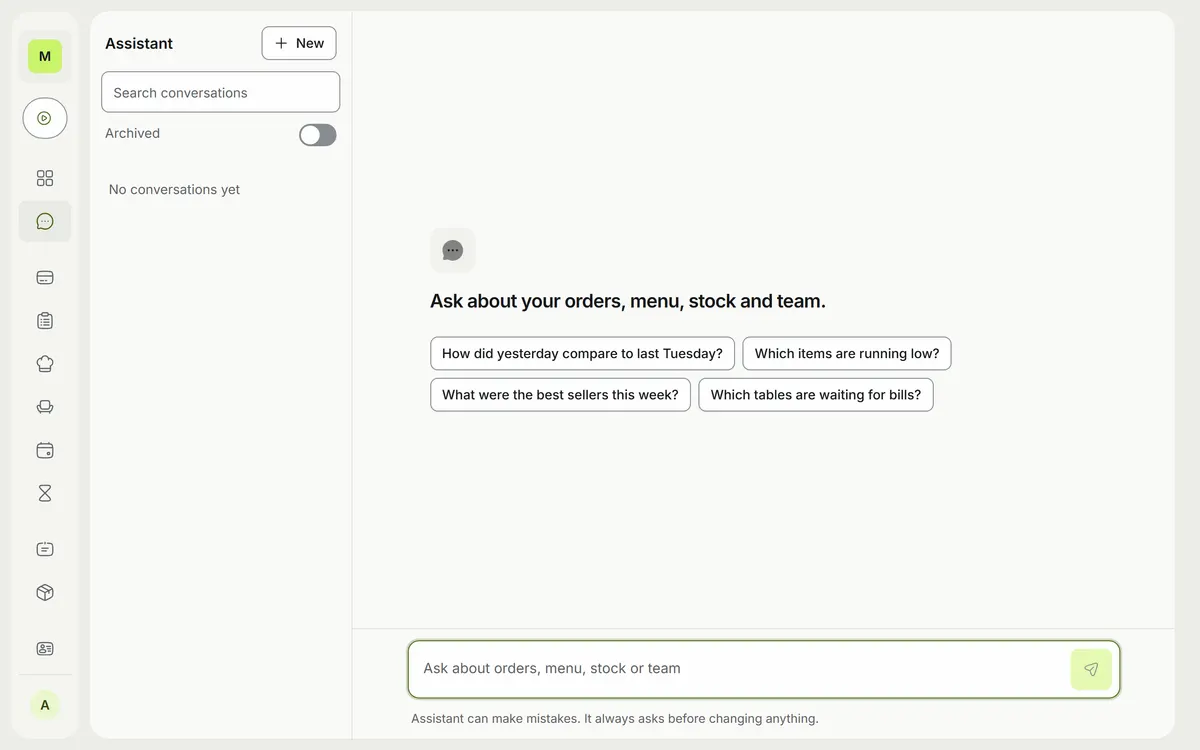
Ask how yesterday compared with last Tuesday or which items are running low, and get the answer from your own data. It follows your role's permissions, and anything that would change data stops at an approval card first.
Close the day with the numbers done
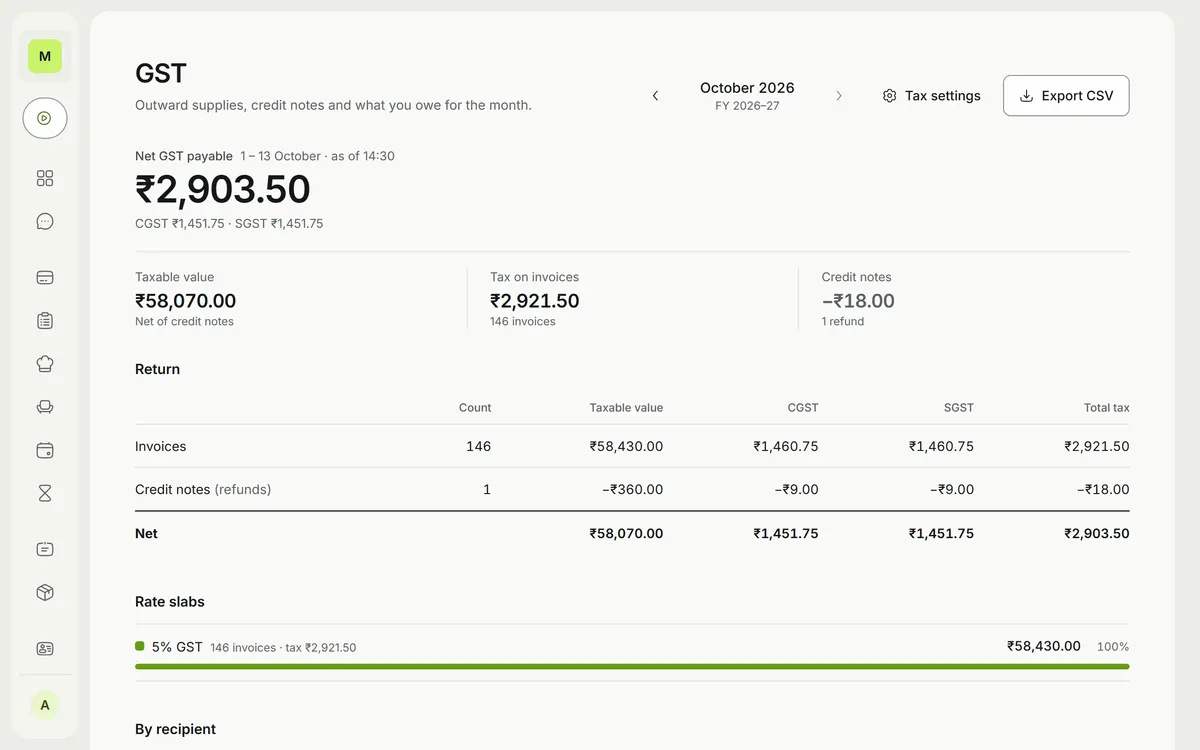
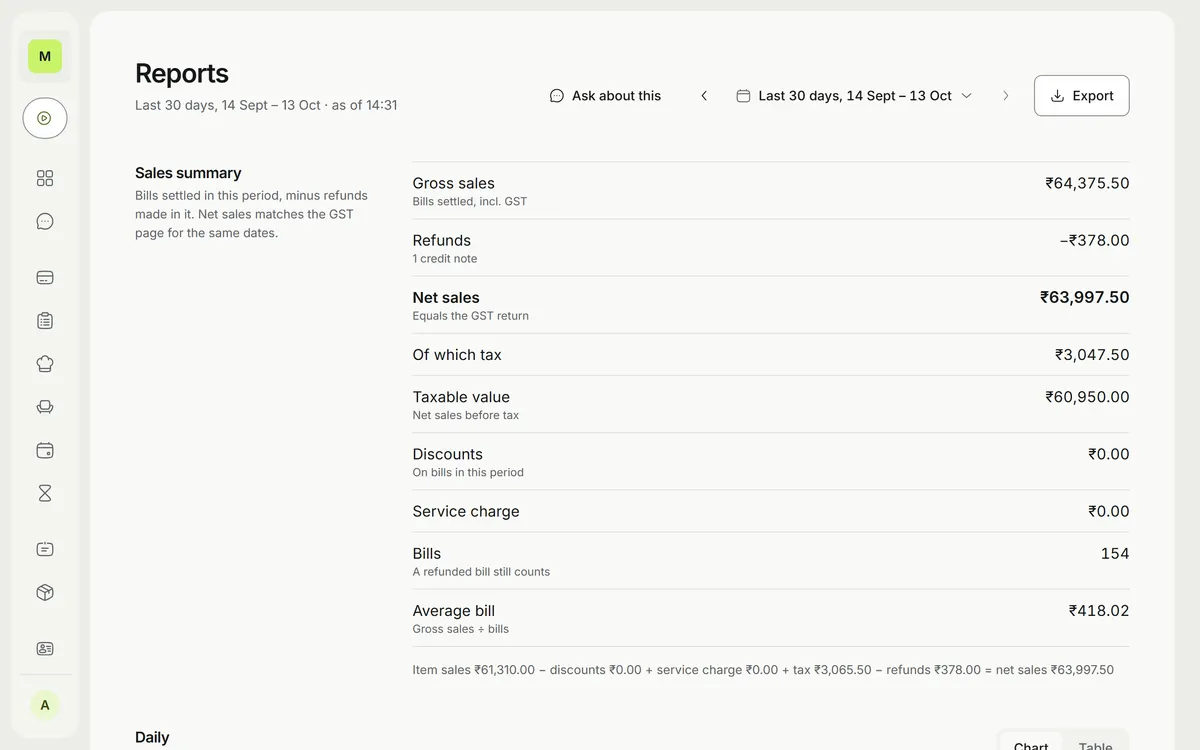
GSTR-1 data straight from your invoices (B2B, B2CL, B2CS, HSN/SAC and credit notes), sales reports, and exports to Tally, Zoho Books and CSV.
Guests order from their table. Staff bill from their pocket.
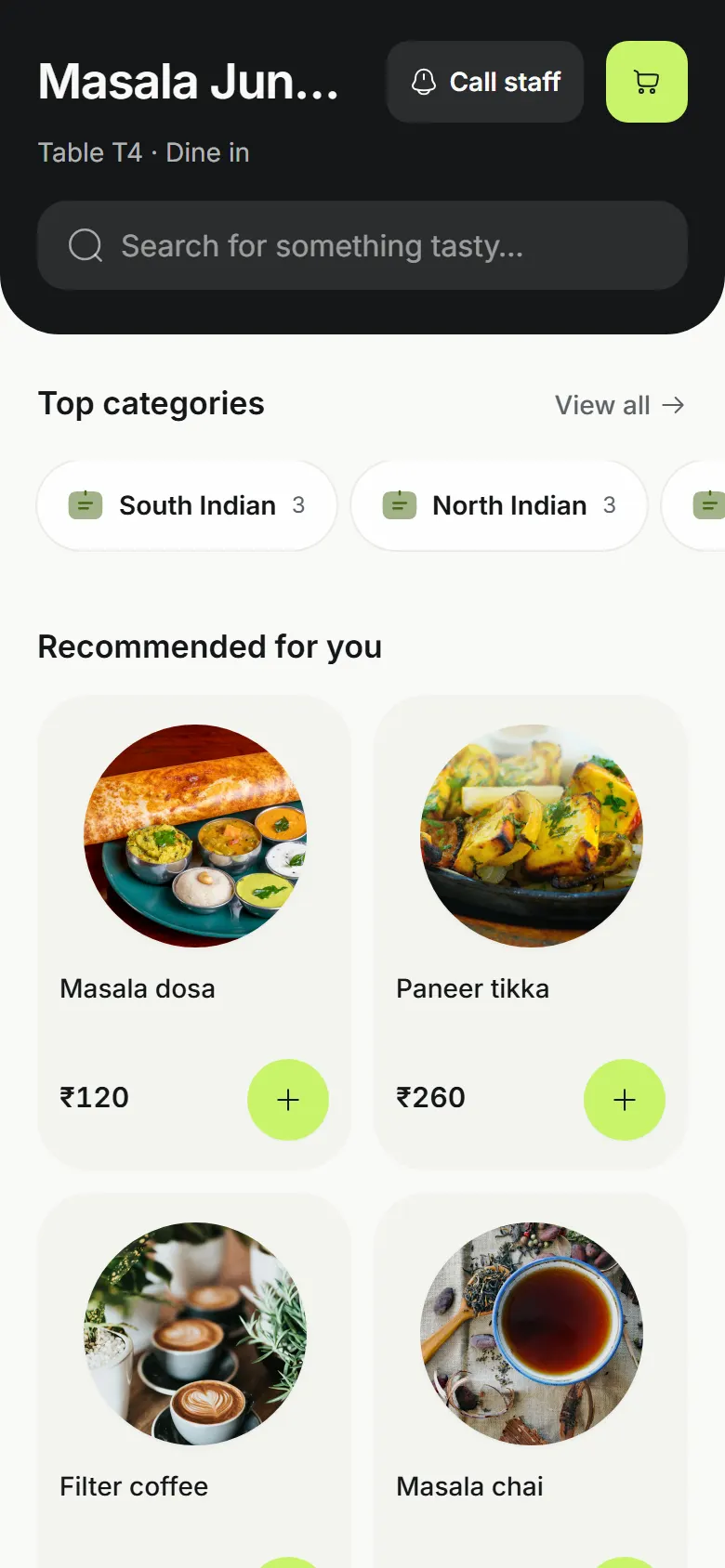
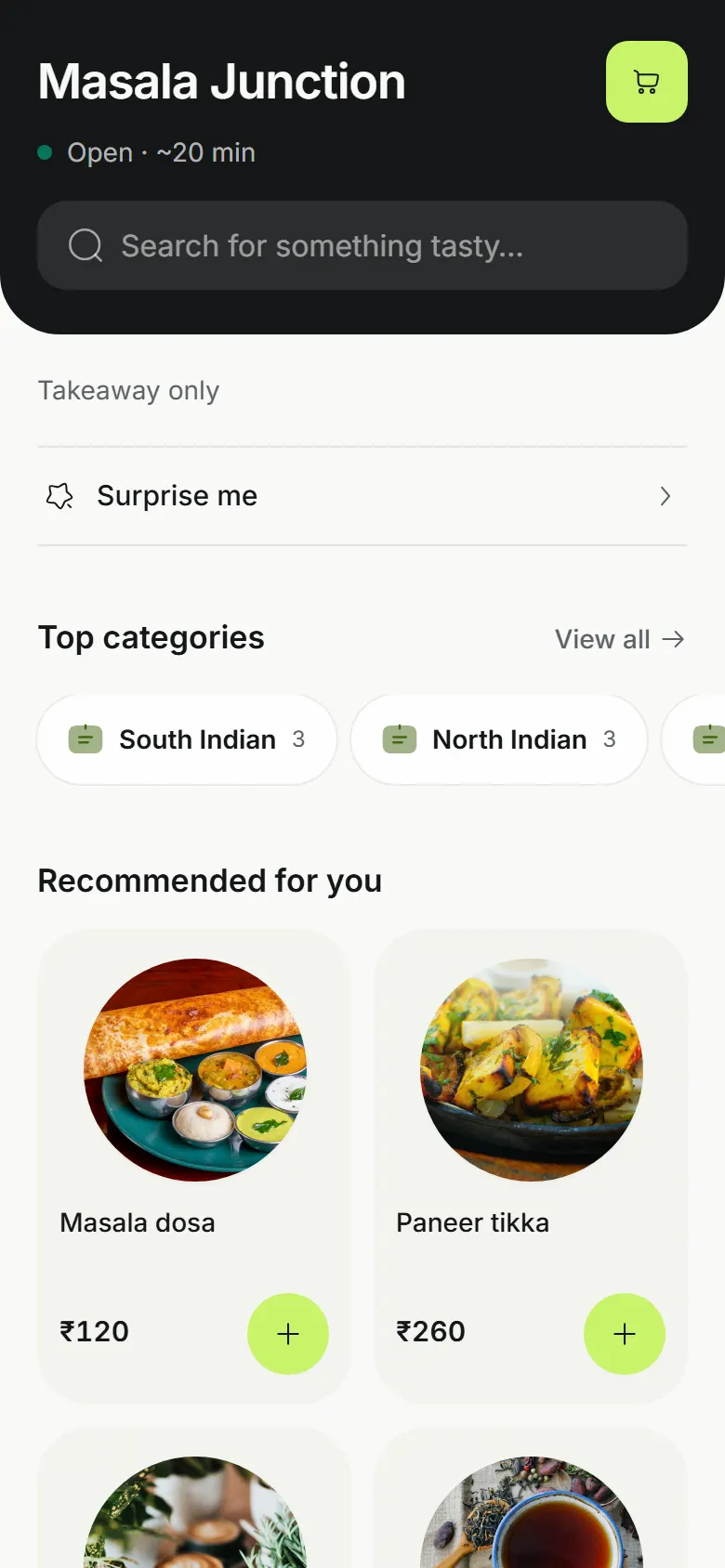
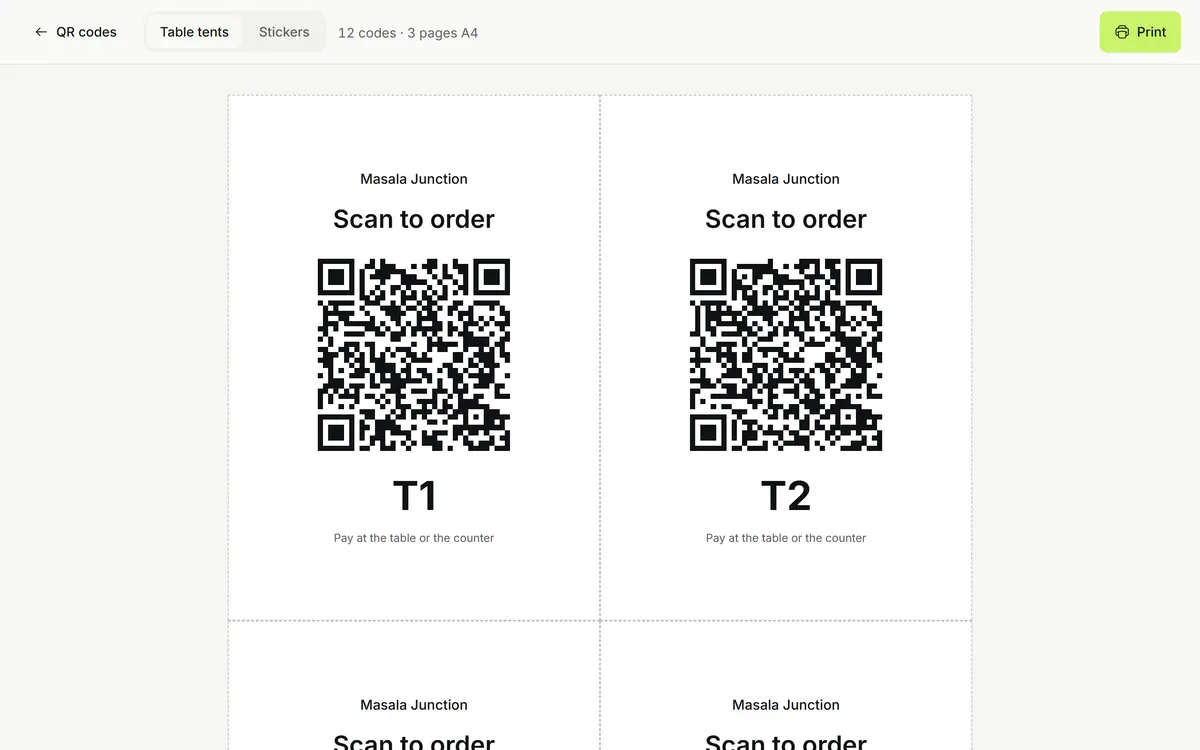
A QR code per table opens the menu on the guest's phone; staff accept each order before it reaches the kitchen. The same restaurant gets its own takeaway page with no commission, and the POS fits a phone for tables and small counters.
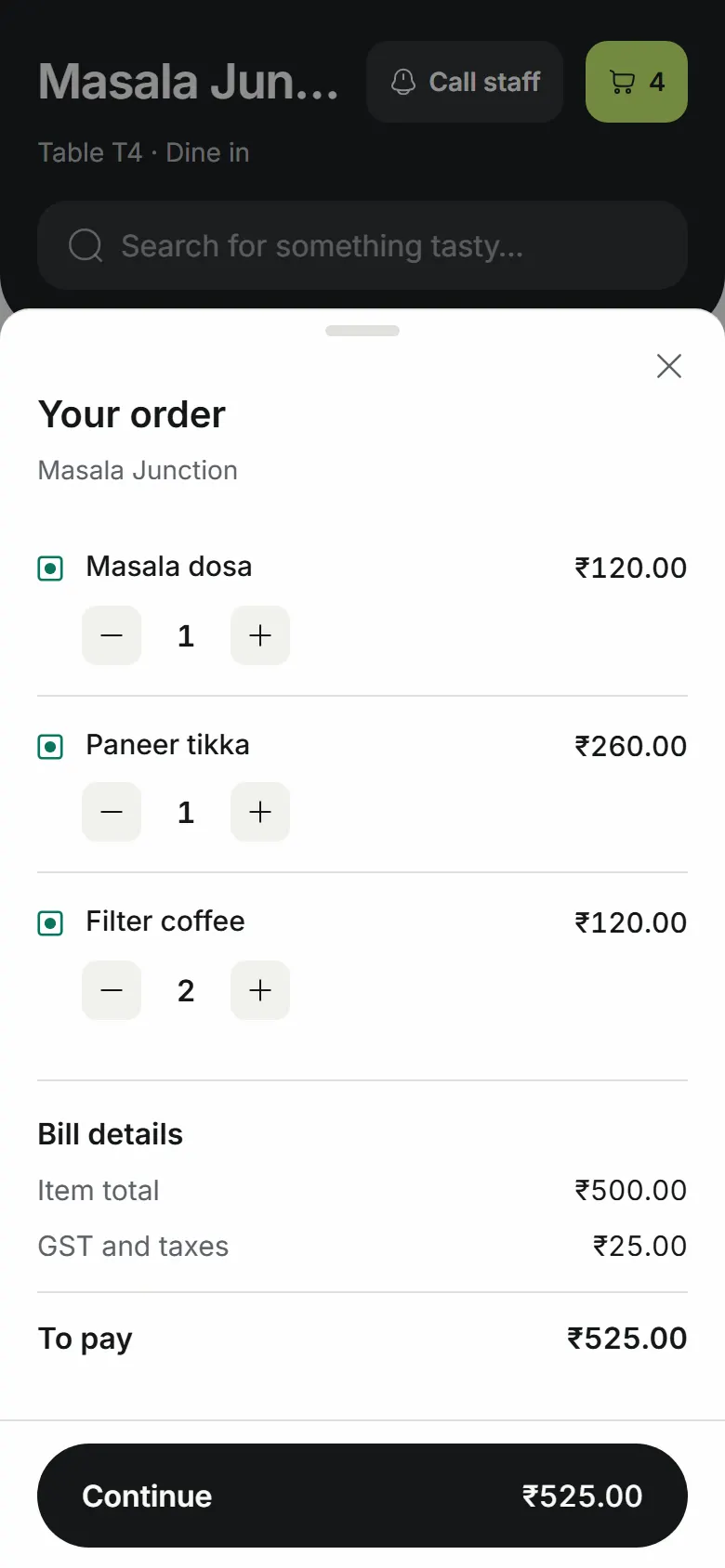
POS & GST billing
GST on each line, a UPI QR with the amount, split bills by item or payment method, and manager approval for big discounts and voids. On every plan, including Free.
KOTs & kitchen display
KOTs on every plan, plus a kitchen display with tickets by station, late tickets flagged, and ready-to-serve items that skip the kitchen.
Tables, reservations & waitlist
Seat-accurate floor plans with rooms, merge and transfer, reservations on a timeline, and a waitlist with a tracker link for guests.
QR table ordering
Guests scan the table's QR, order on their phone, staff accept each order, and the guest pays at the end. Seated-table rule and spam limits built in.
Your own ordering page
Takeaway for pickup, paid at the counter or online through your own Razorpay or Stripe account. No commission, plus an order board for the counter screen.
Inventory & recipes
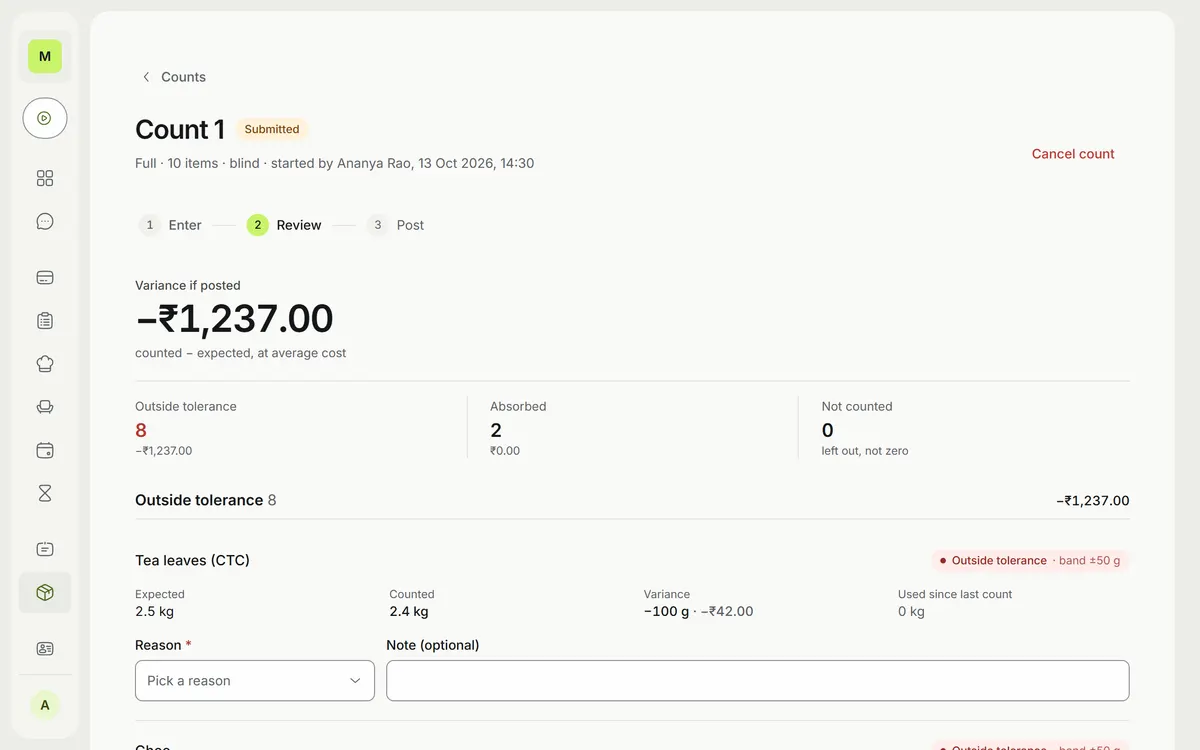
Stock comes off by recipe as you sell. Blind counts with tolerance bands, suppliers, purchase orders, and wastage with reasons.
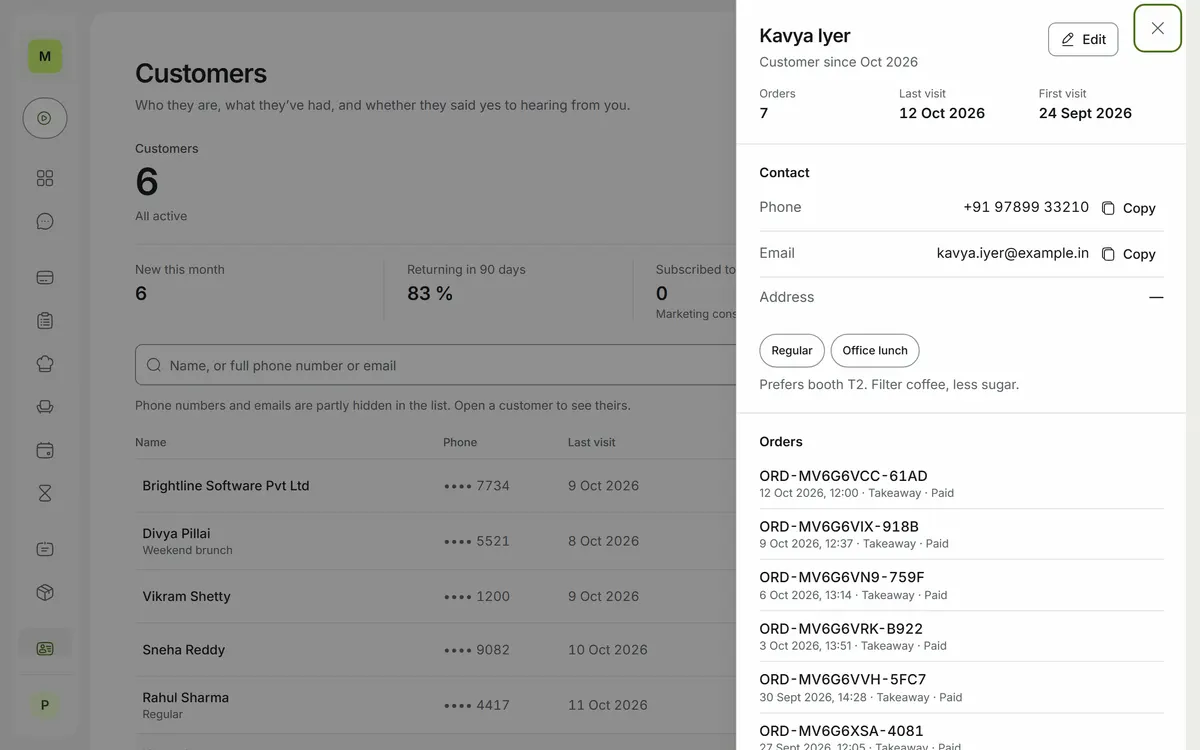
Customers & loyalty
Profiles with encrypted, masked phone numbers, points on what customers actually paid, coupons, and email campaigns with consent.
Staff, shifts & expenses
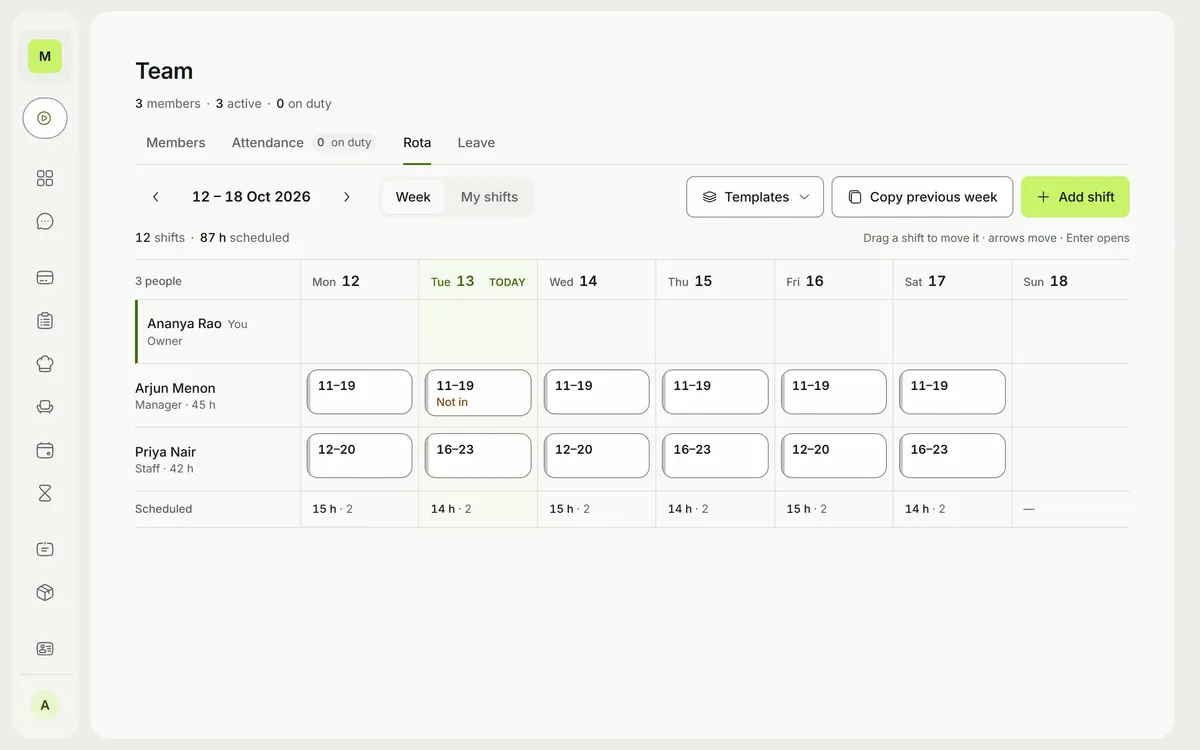
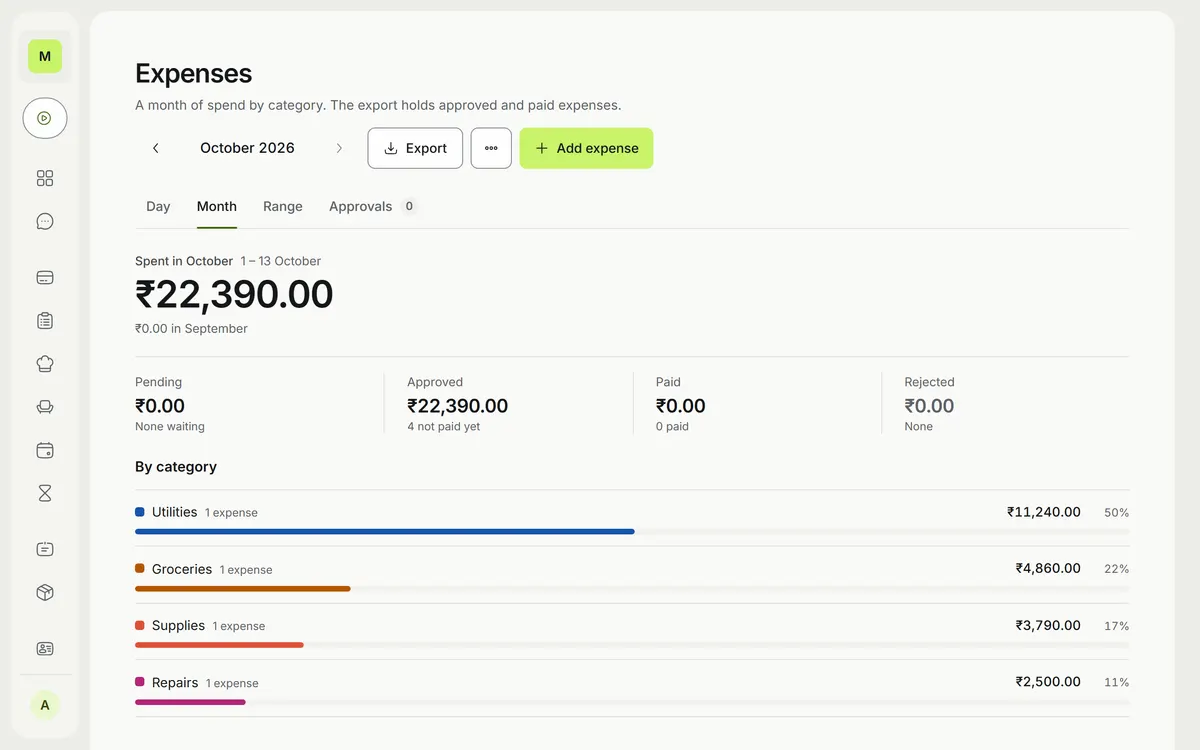
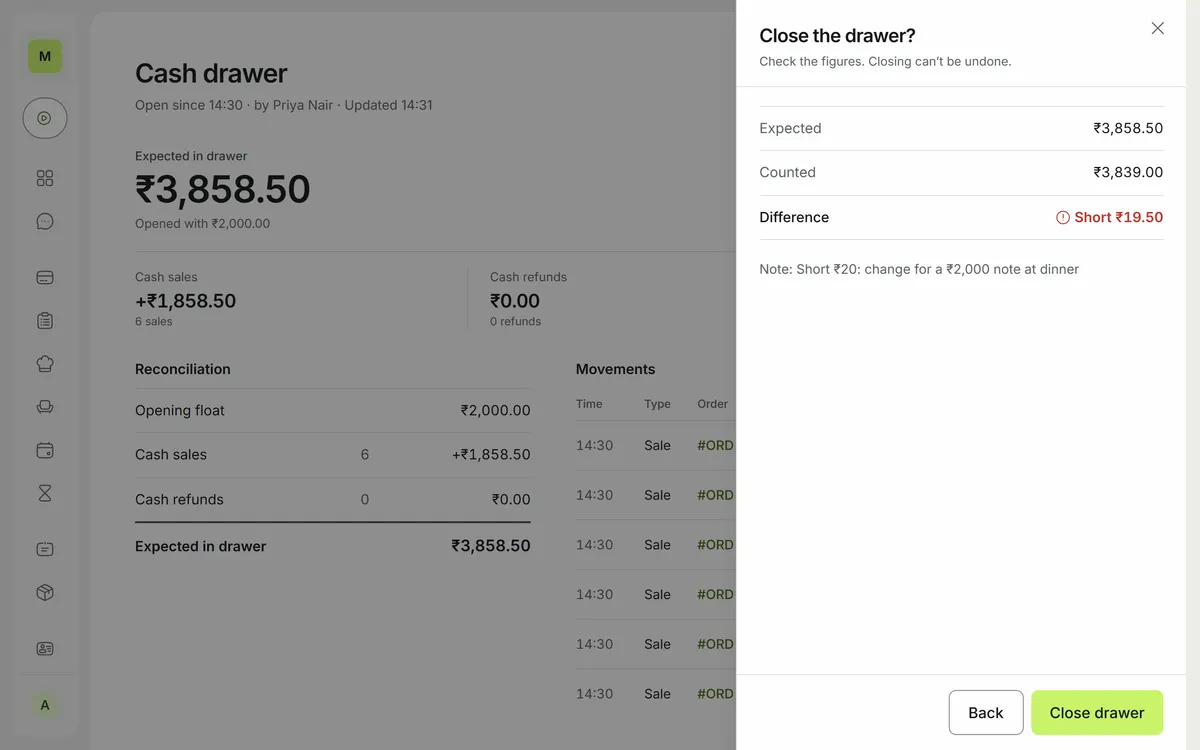
Roles that keep money figures from staff, a weekly rota with leave requests, clock-in attendance, expense approvals, and a note-by-note blind drawer count.
Several outlets
One sign-in across outlets, each with its own menu, staff, GST invoice series and plan, and the other outlets' sales on the dashboard.
AI assistant
Ask about orders, menu, stock and team in plain words. It follows your role's permissions and shows an approval card before it changes anything.
Daily summary
Yesterday's sales, orders and stock for each outlet, sent every morning at the time you set.
Web, Android & Windows
A web app, an Android app for tills and phones, and a Windows outlet hub that keeps the counter selling when the internet drops.
Everything after the last bill of the night.
Per outlet, per month, in rupees. 14 days free, no card.
A pnpm monorepo with five apps on shared packages: a NestJS API on PostgreSQL and Redis with BullMQ jobs and Socket.IO for the live kitchen and floor, a SvelteKit web app, a Capacitor Android app with native plugins for printing, device keys and the offline store, a Tauri Windows hub that serves tills on the local network, and an Astro marketing site. The assistant runs on the Vercel AI SDK with MCP tools behind a PII firewall.
Guest data is encrypted, masked and logged by default.
Handling payments and guest data for other businesses raises the bar. These controls are in the product today, not on a roadmap.
Field-level encryption
Guest phone numbers, emails, addresses and tax IDs, and every copy of them, are encrypted with AES-256-GCM. Searches use keyed hashes, and keys are versioned for rotation.
Tamper-evident audit log
Every view of a customer record is logged. Audit rows are hash-chained, and the database refuses edits and early deletion.
Roles & two-step sign-in
Each person sees only what their role allows; staff never see money totals and guest contacts are masked. 2FA for everyone, with reviewable sessions.
Signed devices
Each app install has its own key in secure hardware (Android Keystore, Windows CNG) and signs its requests. Offline sales sit in an encrypted store.
A PII firewall for the AI
Phone numbers, emails, addresses and tax IDs are replaced with placeholders before anything reaches the model provider, which neither keeps nor trains on requests.
Tenant isolation
Automated tests check that each business's data stays separate, and database queries are never logged with their values.
What is Luna?
Luna is restaurant POS and billing software for India. One system runs the counter, the kitchen and the floor, with GST on every bill, UPI at the counter, kitchen tickets and a kitchen display, tables and QR table ordering.
Is Luna the same project as Ocopus?
Yes. Ocopus was the working name. The product is now Luna, built by Ocopus Labs, and focused on restaurants, cafés, bars and food trucks in India.
Who is Luna for?
Restaurants, cafés, bars, food trucks and quick-service outlets in India, from a single counter to a group of outlets.
How much does Luna cost?
Pricing is per outlet, per month, in rupees: Free, Starter at ₹299, Growth at ₹699 and Pro at ₹1,199, with a 14-day free trial and no card needed. Enterprise is priced with you.
Does Luna have an AI assistant?
Yes. On Pro, the assistant answers questions about orders, menu, stock and team from your own data. It follows the user's role permissions and asks for approval before changing anything.
Does Luna work offline?
Devices set up to sell offline keep unsent sales in an encrypted store, and a Windows outlet hub talks to tills over the local network, so the counter keeps billing when the internet drops.
What is Luna built with?
A NestJS, PostgreSQL and Redis backend with BullMQ queues and Socket.IO, a SvelteKit (Svelte 5) web app, Capacitor for Android, Tauri for the Windows hub, and an Astro marketing site.
Who is building Luna?
Luna is built by Rohit Kushwaha, a full-stack engineer focused on AI developer tooling and SaaS platforms.
From the first ticket to the last bill of the night.
If you run a restaurant and want a pilot, or you're an investor who wants the full story, let's talk.