About
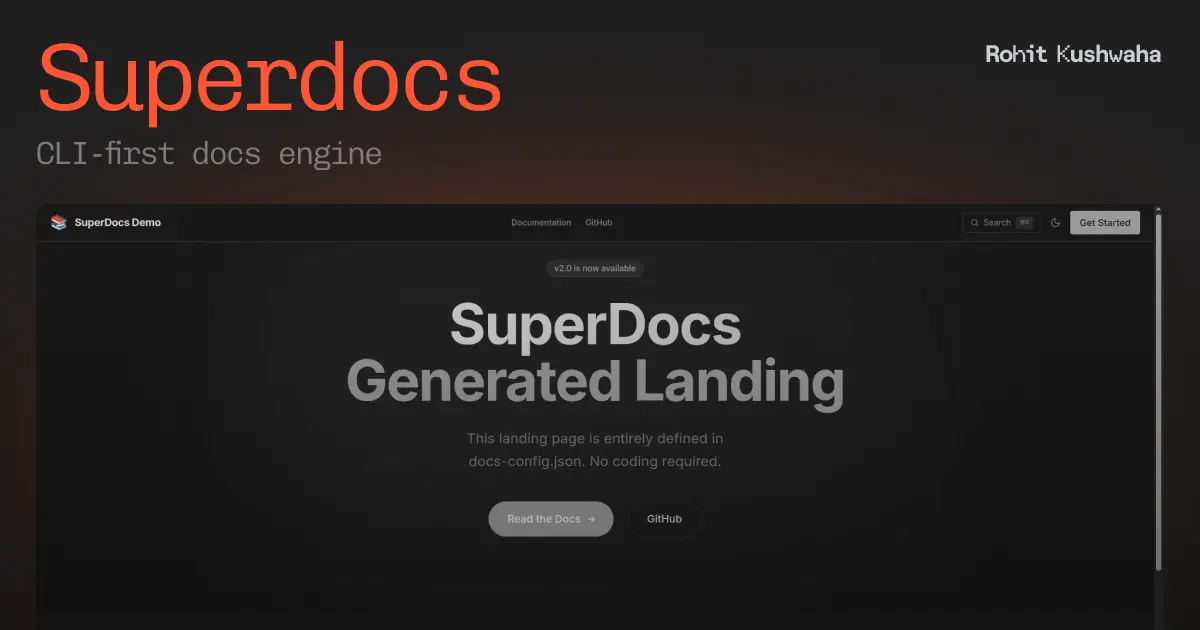
The open-source Mintlify alternative. CLI-first docs engine that transforms Markdown into beautiful, searchable documentation sites. Features hot reload, MDX support, SEO optimization, and full landing page control.
Documentation
Lito
Beautiful documentation sites from Markdown. Fast, simple, and open-source.
Note: This package was previously published as
@devrohit06/superdocs. It has been renamed to@litodocs/cli.
Features
- ✨ Simple Setup - Point to your docs folder and go
- 🚀 Astro-Powered - Leverages Astro's speed and SEO optimization
- 📝 Markdown & MDX - Full support for both formats with frontmatter
- 🎨 Customizable Templates - Use GitHub-hosted or local templates
- 🔥 Hot Reload - Dev server with live file watching
- ⚡ Fast Builds - Static site generation for optimal performance
- 🎯 SEO Optimized - Meta tags, semantic HTML, and proper structure
- 🌍 i18n Support - Built-in internationalization with 40+ languages
- 📚 Versioning - Documentation versioning with version switcher
- 🎨 Dynamic Theming - OKLCH color palette generation from primary color
Installation
Global Installation
npm install -g @litodocs/cli
# or
pnpm add -g @litodocs/cli
# or
yarn global add @litodocs/cli
Local Development
Clone the repository and link it locally:
git clone https://github.com/Lito-docs/cli.git
cd cli
pnpm install
chmod +x bin/cli.js
npm link
Now you can use lito command globally from your terminal.
Quick Start
# Create a docs folder with markdown files
mkdir my-docs
echo "# Hello World" > my-docs/index.md

# Start dev server
lito dev -i ./my-docs

# Build for production
lito build -i ./my-docs -o ./dist
Usage
Build Command
Generate a static documentation site:
lito build --input ./my-docs --output ./dist
Options:
| Option | Description | Default |
|---|---|---|
-i, --input <path> | Path to your docs folder (required) | - |
-o, --output <path> | Output directory | ./dist |
-t, --template <name> | Template to use | default |
-b, --base-url <url> | Base URL for the site | / |
--provider <name> | Hosting provider (vercel, netlify, cloudflare, static) | static |
--rendering <mode> | Rendering mode (static, server, hybrid) | static |
--search | Enable search functionality | false |
--refresh | Force re-download template | false |
Dev Command
Start a development server with hot reload:
lito dev --input ./my-docs
Options:
| Option | Description | Default |
|---|---|---|
-i, --input <path> | Path to your docs folder (required) | - |
-t, --template <name> | Template to use | default |
-b, --base-url <url> | Base URL for the site | / |
-p, --port <number> | Port for dev server | 4321 |
--search | Enable search functionality | false |
--refresh | Force re-download template | false |
Eject Command
Export the full Astro project source code to customize it further:
lito eject --input ./my-docs --output ./my-project
Deployment
Lito includes built-in optimizations for major hosting providers. Use the --provider flag during build:
Vercel
lito build -i ./docs --provider vercel
Generates vercel.json and optimizes for Vercel's edge network.
Netlify
lito build -i ./docs --provider netlify
Generates netlify.toml with security headers.
Cloudflare Pages
lito build -i ./docs --provider cloudflare --rendering server
Configures the project for Cloudflare's edge runtime with SSR support.
Analytics
Lito supports Google Analytics 4 out of the box with zero performance penalty (powered by Partytown).
Add this to your docs-config.json:
{
  "integrations": {
    "analytics": {
      "provider": "google-analytics",
      "measurementId": "G-XXXXXXXXXX"
    }
  }
}
Templates
Lito supports flexible template sources:
Default Template
lito dev -i ./docs
GitHub Templates
Use templates hosted on GitHub:
# From a GitHub repo
lito dev -i ./docs --template github:owner/repo

# Specific branch or tag
lito dev -i ./docs --template github:owner/repo#v1.0.0

# Template in a subdirectory
lito dev -i ./docs --template github:owner/repo/templates/modern
Local Templates
Use a local template folder:
lito dev -i ./docs --template ./my-custom-template
Template Management
# List available templates
lito template list

# Clear template cache
lito template cache --clear
Update Templates
Templates are cached for 24 hours. Force update with:
lito dev -i ./docs --refresh
Documentation Structure
Your docs folder should contain Markdown (.md) or MDX (.mdx) files:
my-docs/
├── index.md
├── getting-started.md
├── api/
│   ├── reference.md
│   └── examples.md
└── guides/
    └── advanced.md
Frontmatter
Add frontmatter to your markdown files for better metadata:
---
title: Getting Started
description: Learn how to get started quickly
---

# Getting Started

Your content here...
Architecture
The CLI tool follows this pipeline:
- Resolves Template - Fetches from GitHub or uses local template
- Scaffolds - Creates a temporary Astro project from the template
- Syncs - Copies your docs into
src/pages/for automatic routing - Configures - Generates dynamic
astro.config.mjswith your options - Builds/Serves - Spawns native Astro CLI commands
- Watches (dev mode) - Uses
chokidarto monitor file changes
Contributing
Contributions are welcome! Please feel free to submit a Pull Request.
License
MIT
Built with ❤️ using Astro and Node.js